# Making new records
If you can't find a suitable record to edit in Worldshare Record Manager, you can create a new one.
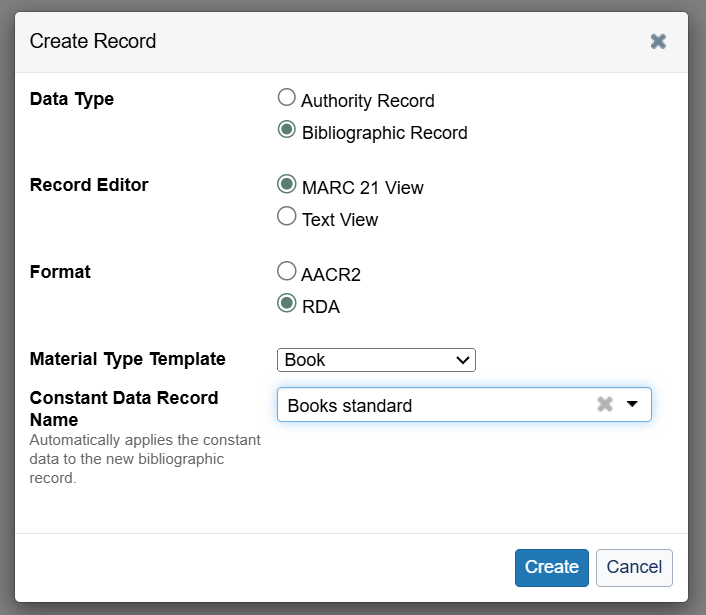
In the **Record Manager** sidebar, click **Create Record**.
The pop-up menu should have **Bibliographic Record**, **MARC 21 View**, **RDA** and **Book** selected. Select **Books standard** in the **Constant Data Record Name** dropdown menu (this will populate the fixed fields with a standard template and add in the open shelves exporting string).
Complete the MARC record, then follow the instructions for [finishing a record](https://docs.wellcomecollection.org/library-cataloguing/9yMHsFGBXS9DDRGtdmSE/systems-guidance/editing-records#finishing-a-record).
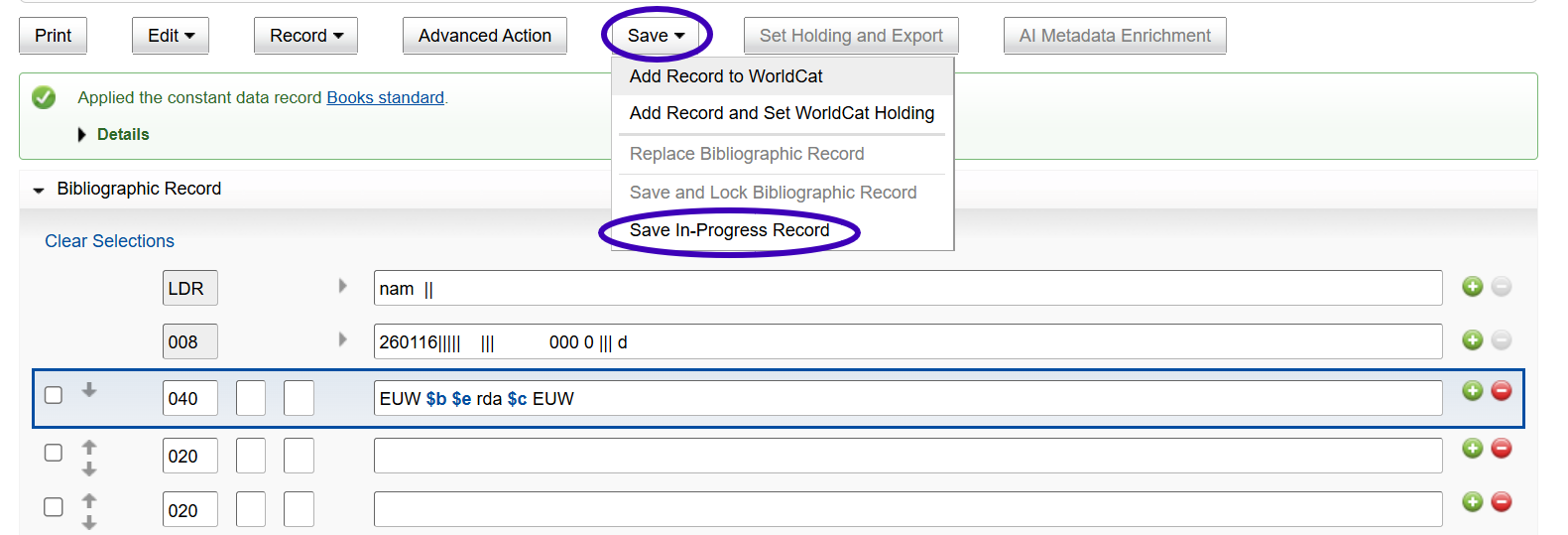
You can also save in-progress records to come back and work on later. Go to **Save > In-Progress Record**.
A pop-up will show with the save file number.
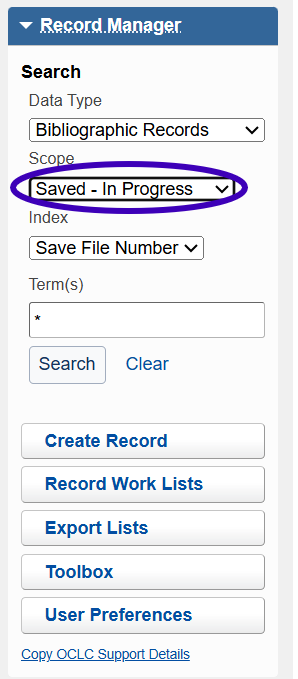
To find the record again, use the search box in the **Record Manager** sidebar and select **Saved - In Progress** from the **Scope** dropdown menu. You can search for title or save file number. You can also search for **\*** (an asterisk) to bring up all in-progress records (but please note that this brings up all in-progress records, not just Wellcome ones).